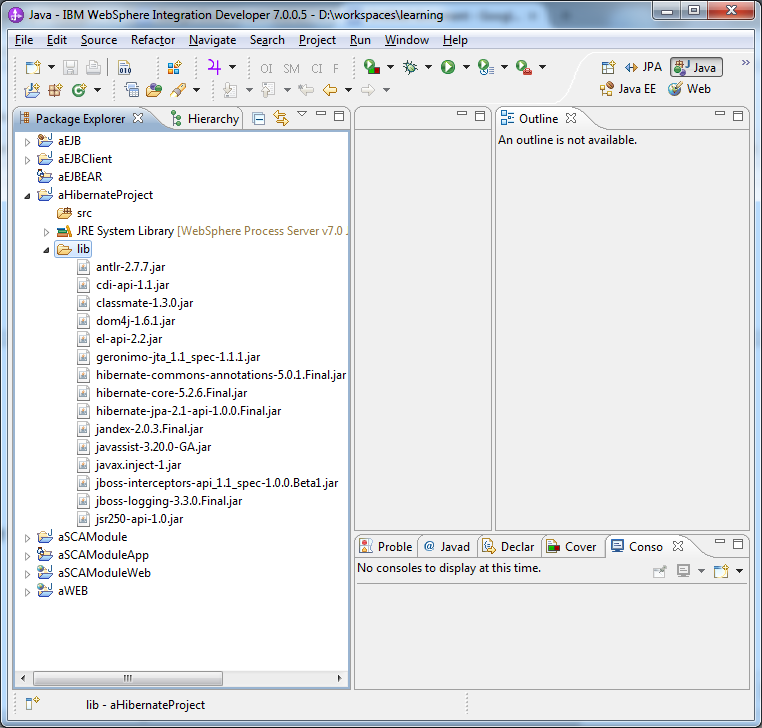
Create a Java Project
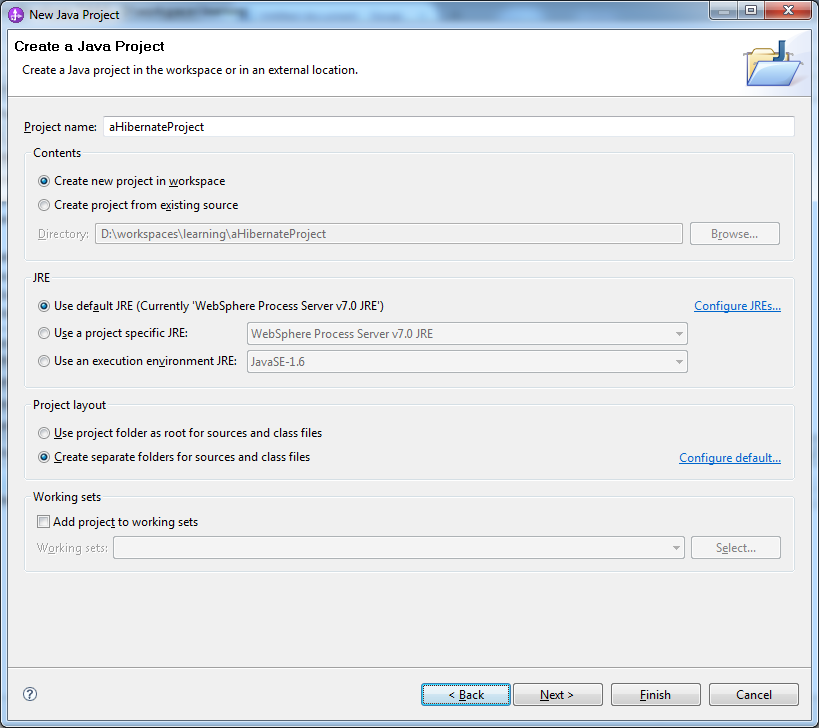
Click Next and Finish
Right Click the project and create new folder lib
Download hibernate with all dependencies from the below link
And copy paste to the lib folder
Create a new Java Package
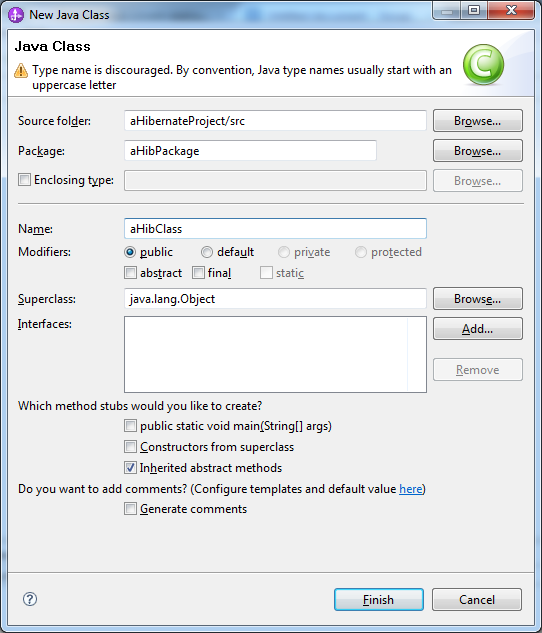
Create a new Class
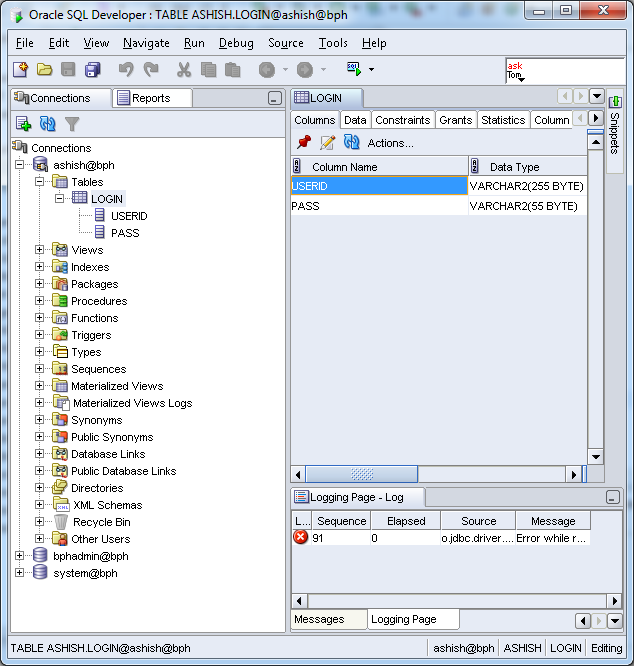
We have a table login with two columns
Accordingly that
We write the following code in aHibClass.java
package aHibPackage;
public class aHibClass {
private String UserId;
private String Password;
public String getUserId()
{
return UserId;
}
public void setUserId(String UserId)
{
this.UserId=UserId;
}
public String getPassword()
{
return Password;
}
public void setPassword(String Password)
{
this.Password=Password;
}
The file aHibClass.class is also referred to as persistence class file .
Right Click the package , create a new file login.hbm.xml and click finish
The file login.hbm.xml is also referred to as mapping file .
In the mapping file , we have mentioned about the table and its columns . The id tag is used for the column which is the primary key and rest of the columns are referred as property.
Now , we will create the configuration file .
Right click the src under the project and create a new file hibernate.cfg.xml with the contents as below
"-//Hibernate/Hibernate Configuration DTD 3.0//EN"
"http://www.hibernate.org/dtd/hibernate-configuration-3.0.dtd">
oracle.jdbc.driver.OracleDriver
jdbc:oracle:thin:@localhost:1521:bph
org.hibernate.dialect.Oracle10gDialect
create .If we are assigning this value as create,it will create table in database automatically when we run the application.
Download the Oracle JDBC driver jar file and add it to the build path of the project for the driver class file.
Now , we create the test class that inserts the record
HibTest with the main method
package aHibPackage;
import org.hibernate.Session;
import org.hibernate.SessionFactory;
import org.hibernate.Transaction;
import org.hibernate.cfg.Configuration;
public class HibTest {
public static void main(String[] args) {
Configuration cfg = new Configuration();
cfg.configure("hibernate.cfg.xml");
SessionFactory factory = cfg.buildSessionFactory();
Session session = factory.openSession();
aHibClass login = new aHibClass();
login.setUserId("Ashish1");
login.setPassword("Password2");
Transaction tx = session.beginTransaction();
session.save(login);
tx.commit();
session.close();
factory.close();
System.out.println("Objectis saved successfully");
}
}
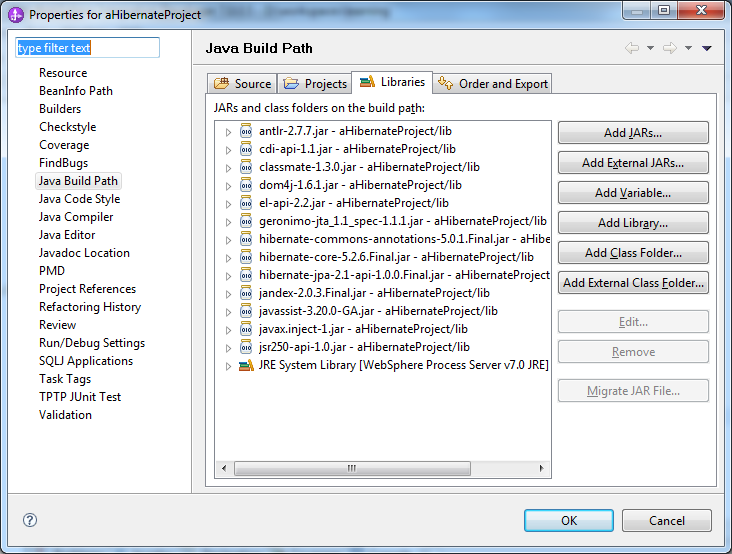
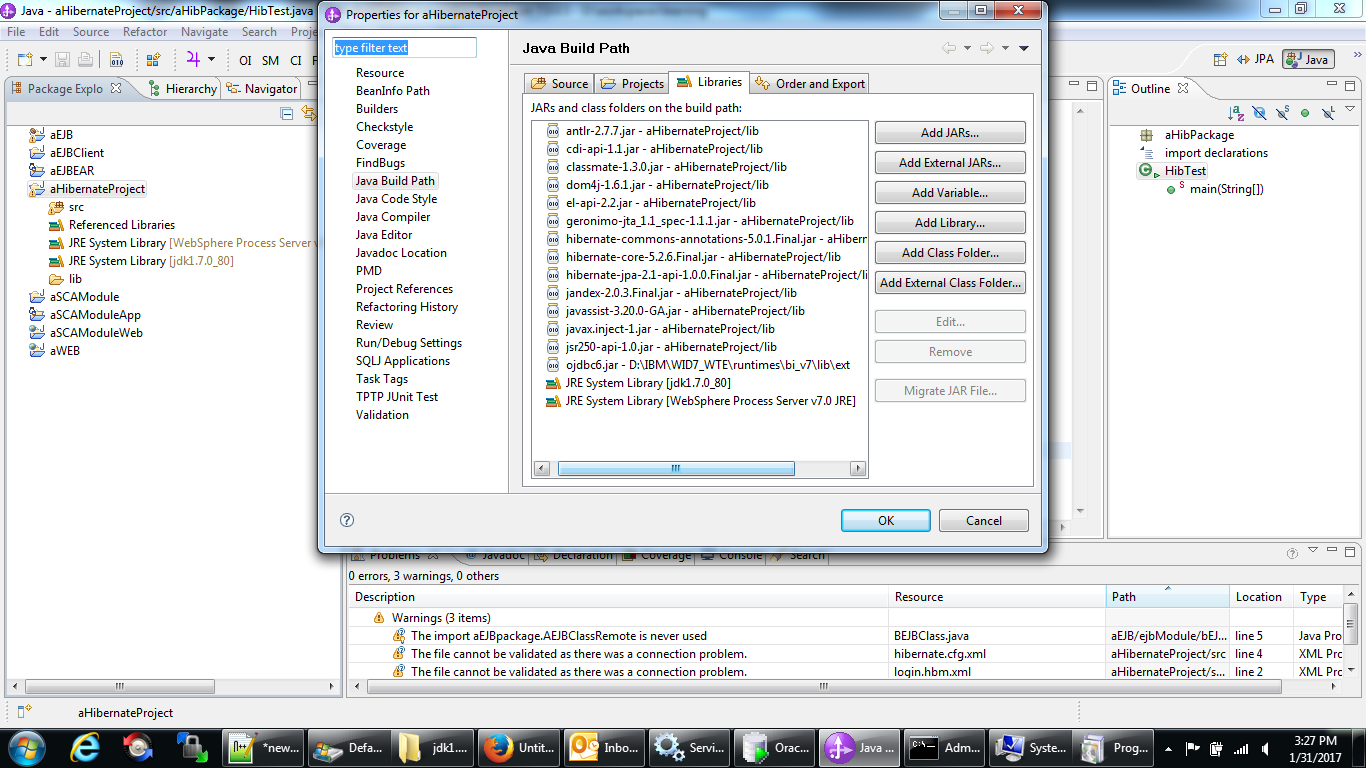
Right click the project and make sure all the jars added earlier into lib folder are present in the build path of the project. If not , add them manually.
Getting the error
The type java.lang.AutoCloseable cannot be resolved. It is indirectly referenced from required .class files .
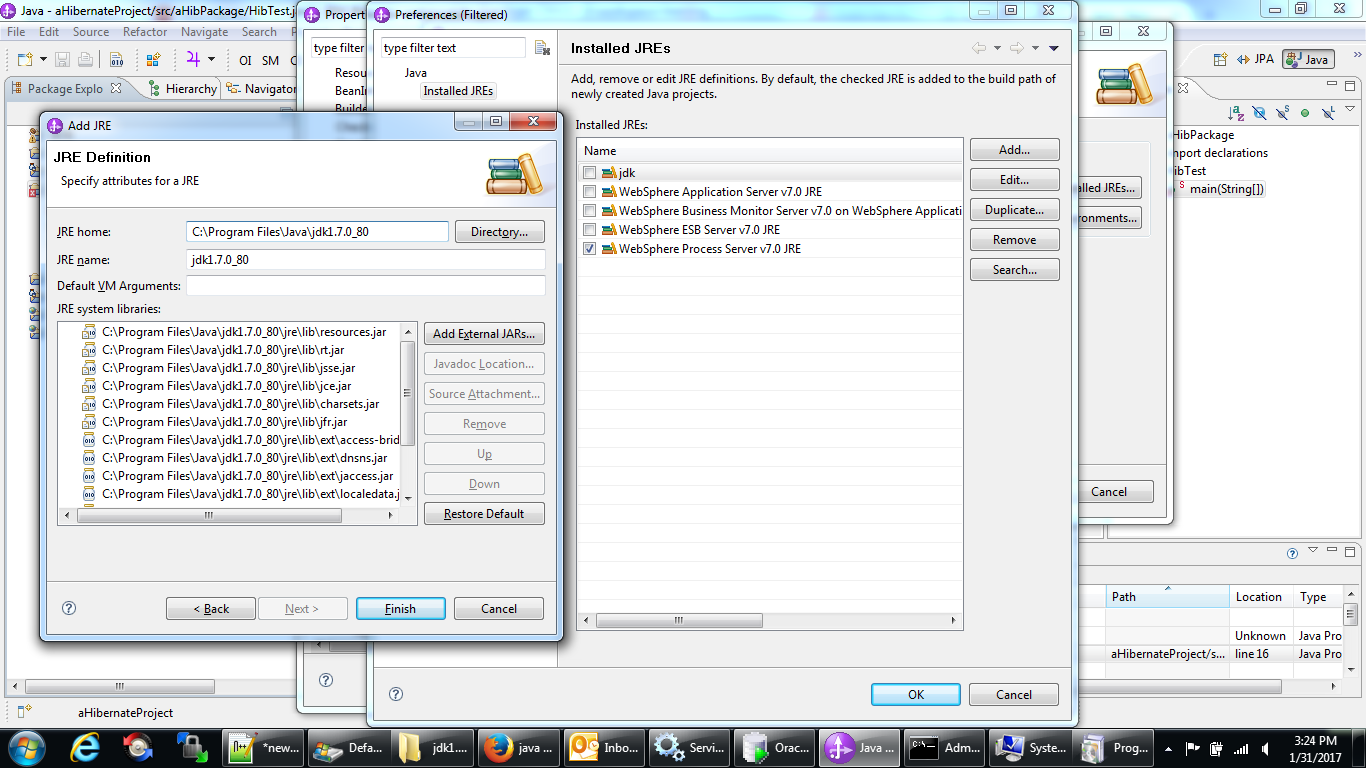
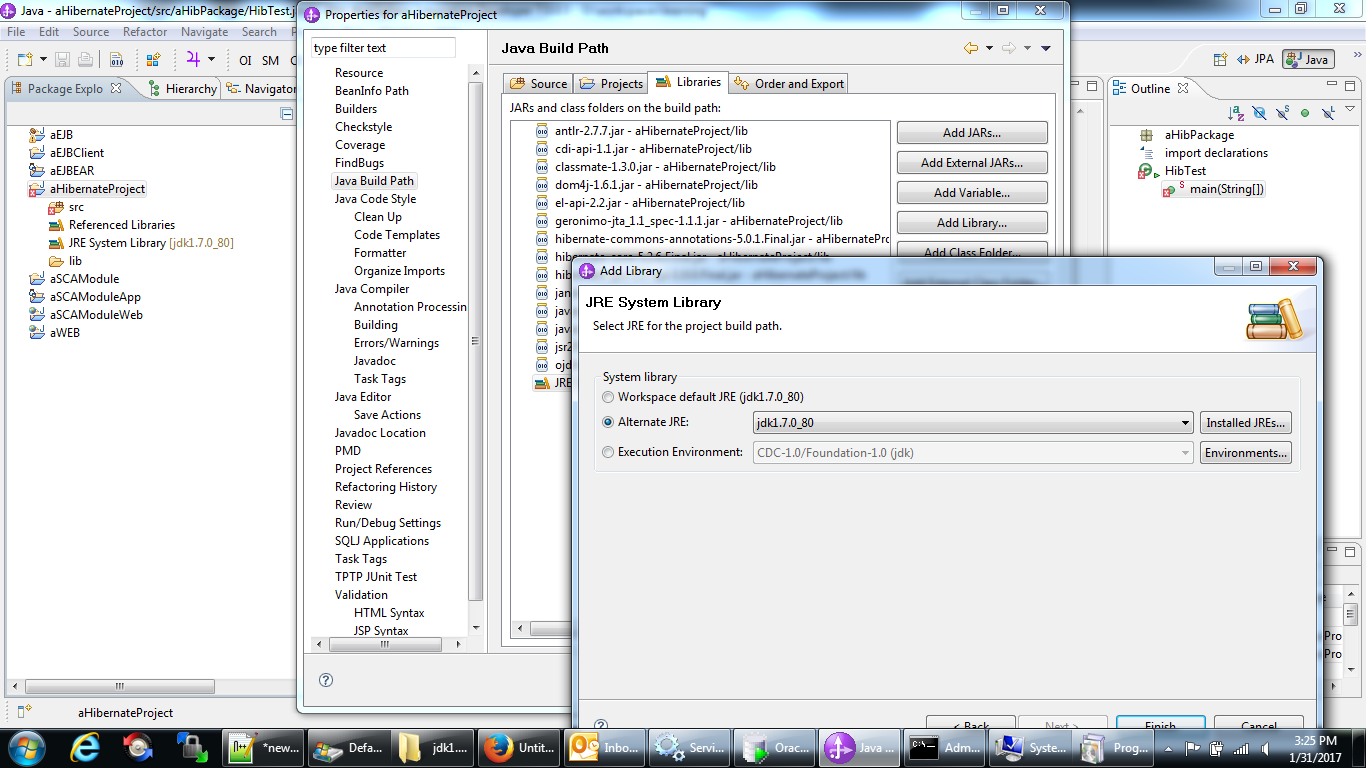
Added an alternate JRE System Library (JDK 1.7.0_80) as my default JRE System library seemed to be out of date
Getting the error
Exception in thread "main" java.lang.UnsupportedClassVersionError: org/hibernate/cfg/Configuration : Unsupported major.minor version 52.0
at java.lang.ClassLoader.defineClass1(Native Method)
at java.lang.ClassLoader.defineClass(ClassLoader.java:800)
at java.security.SecureClassLoader.defineClass(SecureClassLoader.java:142)
at java.net.URLClassLoader.defineClass(URLClassLoader.java:449)
at java.net.URLClassLoader.access$100(URLClassLoader.java:71)
at java.net.URLClassLoader$1.run(URLClassLoader.java:361)
at java.net.URLClassLoader$1.run(URLClassLoader.java:355)
at java.security.AccessController.doPrivileged(Native Method)
at java.net.URLClassLoader.findClass(URLClassLoader.java:354)
at java.lang.ClassLoader.loadClass(ClassLoader.java:425)
at sun.misc.Launcher$AppClassLoader.loadClass(Launcher.java:308)
at java.lang.ClassLoader.loadClass(ClassLoader.java:358)
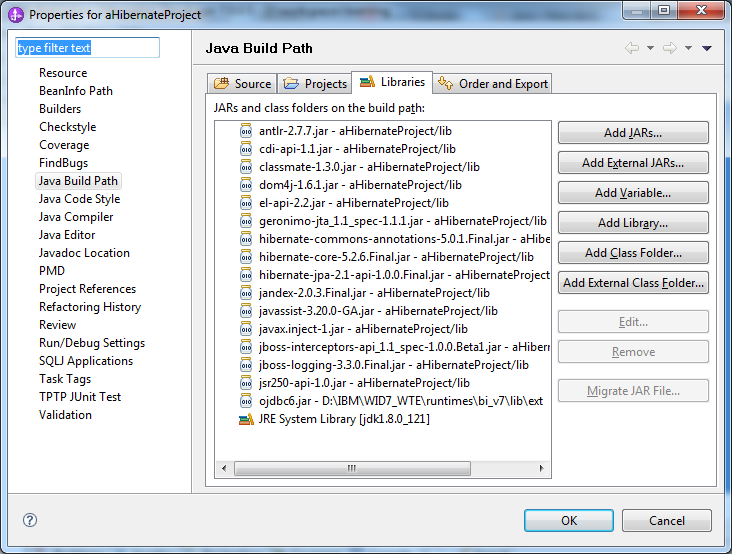
Downloaded the jdk 1.8 version and added it to the project build path .
Final build path looks as below
Earlier , I have removed the JBoss related jars but I have to add them later as I was getting few Class Not Found exceptions .
Now , we can run HibTest.java as a Java application and test the Sample Hibernate Java code.
This code is simpler in a way than EJB as in EJB , we have to define objects mapped to database also in a java class file whereas here we have the mapping in a xml file .
Hibernate is perfectly suited for creating mapping files . Later , we can use either Hibernate or J2EE ( EJB session beans ) to include logic and DML statements.