Showing posts with label java. Show all posts

Thursday, February 2, 2017

Learning Java

Static methods in java belong to the class (not an instance of it). They use no instance variables and will usually take input from the parameters, perform actions on it, then return some result. 

Instances methods are associated with objects and, as the name implies, can use instance variables.


My Observation:
 If you try to invoke a static method using an instance object, you only get a warning that static method must be accessed in  a static way . Code will still run.  


An abstract class can have method implementations.
 

An abstract method does not have any implementation.
Serialization will convert the object into byte array and that can be saved  on disk which can be deserialized later . 

EJB is a part of JAVA EE or J2EE (Enterprise edition) .
J2SE is the standard edition of JAVA.
Hibernate is the open source api developed in Java only .
Basically in EJB , you have a remote interface ( to call the EJB remotely ) ,
a local interface or Home interface  ( to call the EJB locally ) and an implementation class.

A message driven bean only has an implementation class.

All the three Enterprise Java Bean's namely session bean, entity bean and message driven beans are collectively called as Enterprise beans as well .

Tuesday, January 31, 2017

Create first hibernate project

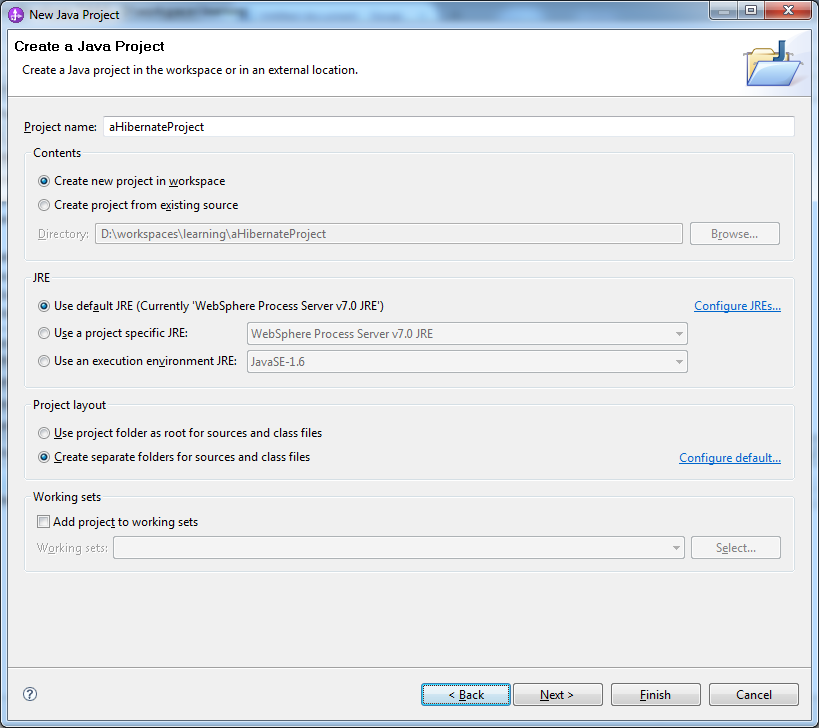
Create a Java Project


Click Next and Finish


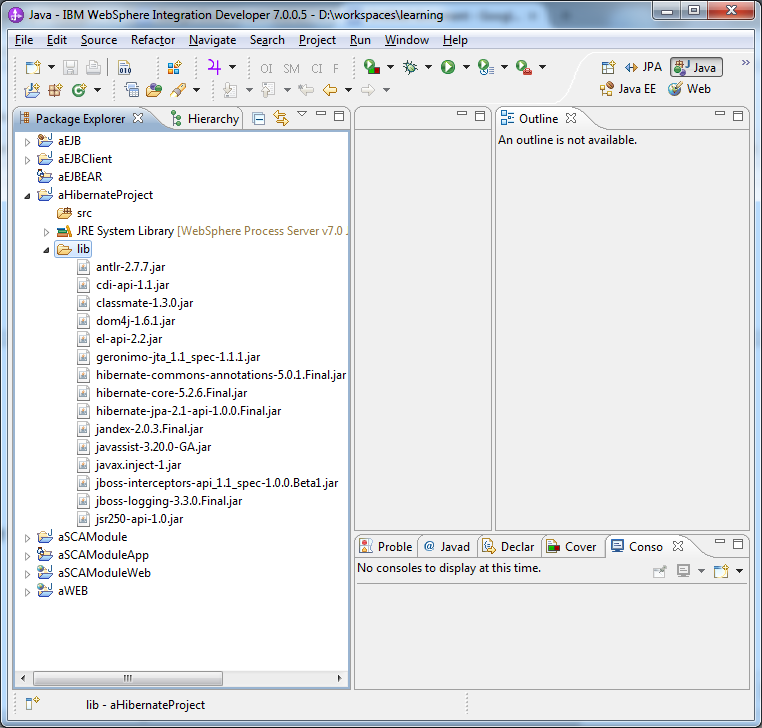
Right Click the project and create new folder lib


Download hibernate with all dependencies  from the below link


And copy paste to the lib folder


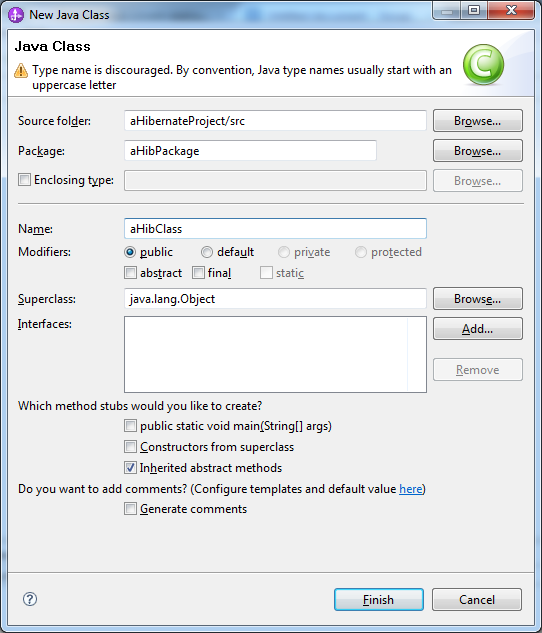
Create a new Java Package


Create a new Class


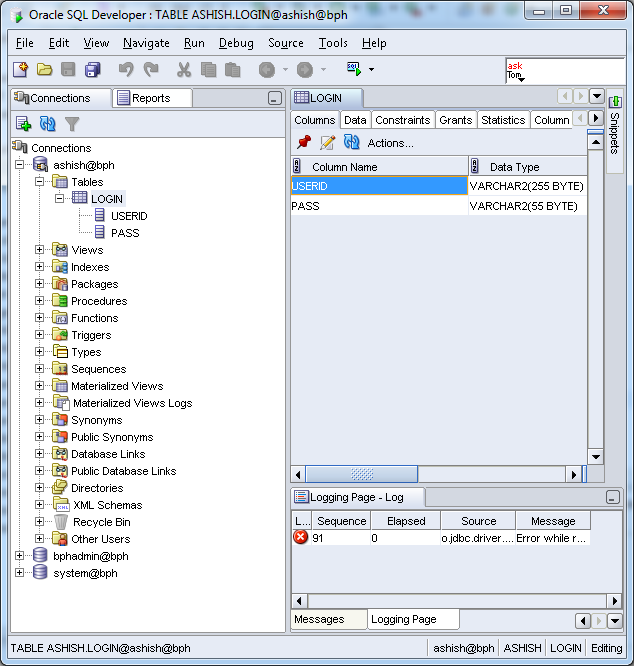
We have a table login with two columns

Accordingly that
We write the following code in aHibClass.java
package aHibPackage;

public class aHibClass {

   private String UserId;
   private String Password;
   
   public String getUserId()
   {
   return UserId;
   }
   public void setUserId(String UserId)
   {
   this.UserId=UserId;
   }
   public String getPassword()
   {
   return Password;
   }
   public void setPassword(String Password)
   {
   this.Password=Password;
   }

The file aHibClass.class is also referred to as persistence class file .
   
Right Click the package , create a new file login.hbm.xml and click finish


The file login.hbm.xml is also referred to as mapping file .
In the mapping file , we have mentioned about the table and its columns . The id tag is used for the column which is the primary key and rest of the columns are referred as property.

Now , we will create the configuration file .

Right click the src under the project and create a new file hibernate.cfg.xml  with the contents as below
"-//Hibernate/Hibernate Configuration DTD 3.0//EN"
"http://www.hibernate.org/dtd/hibernate-configuration-3.0.dtd">
oracle.jdbc.driver.OracleDriver
jdbc:oracle:thin:@localhost:1521:bph
ashish
password
org.hibernate.dialect.Oracle10gDialect
false
false
update


create .If we are assigning this value as create,it will create table in database automatically when we run the application.

Download the Oracle  JDBC driver jar file and add it to the build path of the project for the driver class file.


Now , we create the test class that inserts the record
HibTest with the main method

package aHibPackage;
import org.hibernate.Session;
import org.hibernate.SessionFactory;
import org.hibernate.Transaction;
import org.hibernate.cfg.Configuration;

public class HibTest {
public static void main(String[] args) {
       Configuration cfg = new Configuration();
         cfg.configure("hibernate.cfg.xml");
         SessionFactory factory = cfg.buildSessionFactory();
        Session session = factory.openSession();
        aHibClass login = new aHibClass();
        login.setUserId("Ashish1");
        login.setPassword("Password2");
         Transaction tx = session.beginTransaction();
           session.save(login);
            tx.commit();
           session.close();
           factory.close();
           System.out.println("Objectis  saved successfully");
   }

}

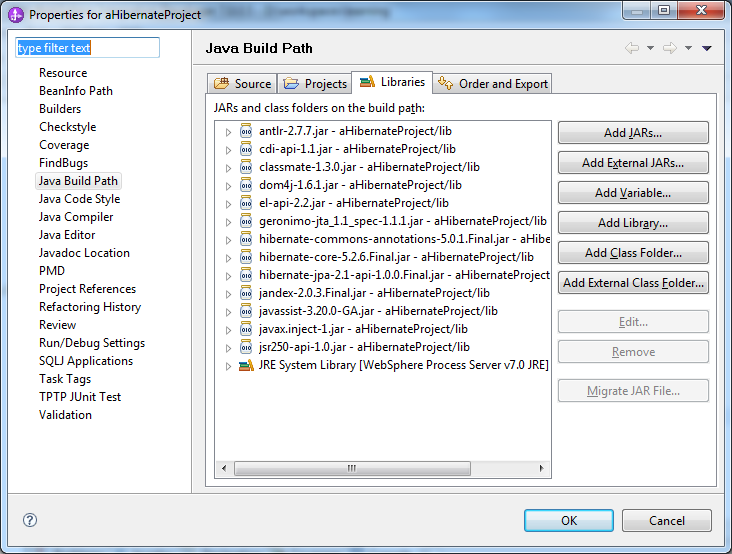
Right click the project and make sure all the jars added earlier into lib folder are present in the build path of the project. If not , add them manually.


Getting the error
The type java.lang.AutoCloseable cannot be resolved. It is indirectly referenced from required .class files   .


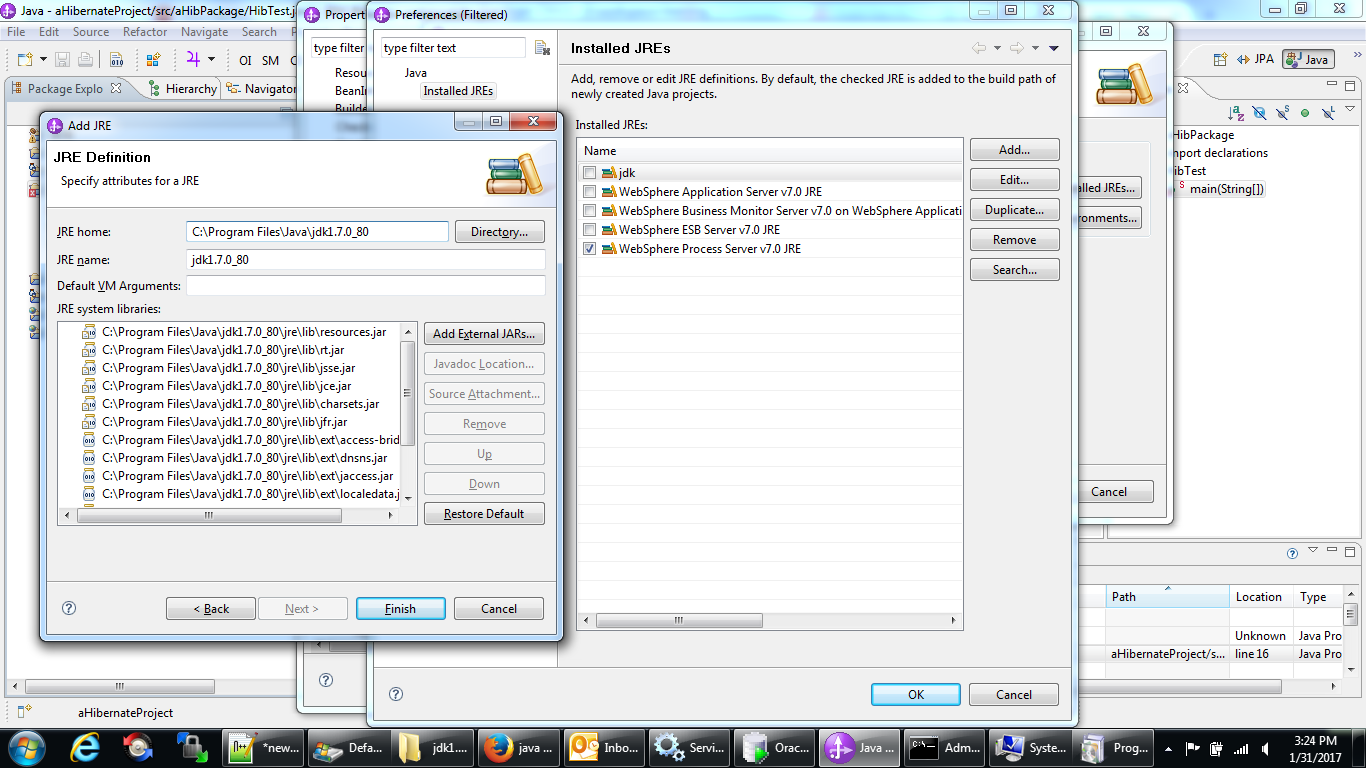
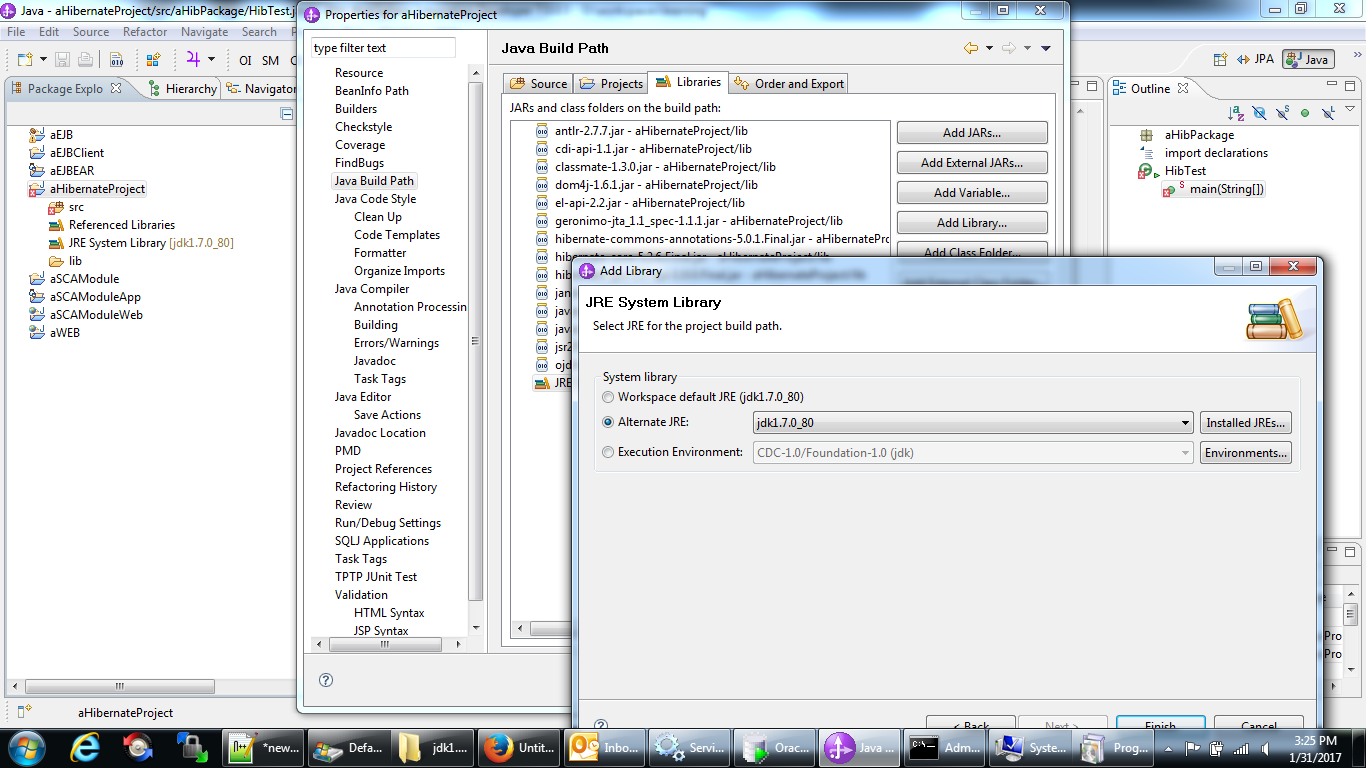
Added an alternate JRE System Library (JDK 1.7.0_80) as my default JRE System library seemed to be out of date


Getting the error

Exception in thread "main" java.lang.UnsupportedClassVersionError: org/hibernate/cfg/Configuration : Unsupported major.minor version 52.0
   at java.lang.ClassLoader.defineClass1(Native Method)
   at java.lang.ClassLoader.defineClass(ClassLoader.java:800)
   at java.security.SecureClassLoader.defineClass(SecureClassLoader.java:142)
   at java.net.URLClassLoader.defineClass(URLClassLoader.java:449)
   at java.net.URLClassLoader.access$100(URLClassLoader.java:71)
   at java.net.URLClassLoader$1.run(URLClassLoader.java:361)
   at java.net.URLClassLoader$1.run(URLClassLoader.java:355)
   at java.security.AccessController.doPrivileged(Native Method)
   at java.net.URLClassLoader.findClass(URLClassLoader.java:354)
   at java.lang.ClassLoader.loadClass(ClassLoader.java:425)
   at sun.misc.Launcher$AppClassLoader.loadClass(Launcher.java:308)
   at java.lang.ClassLoader.loadClass(ClassLoader.java:358)


Downloaded the jdk 1.8 version and added it to the project build path .

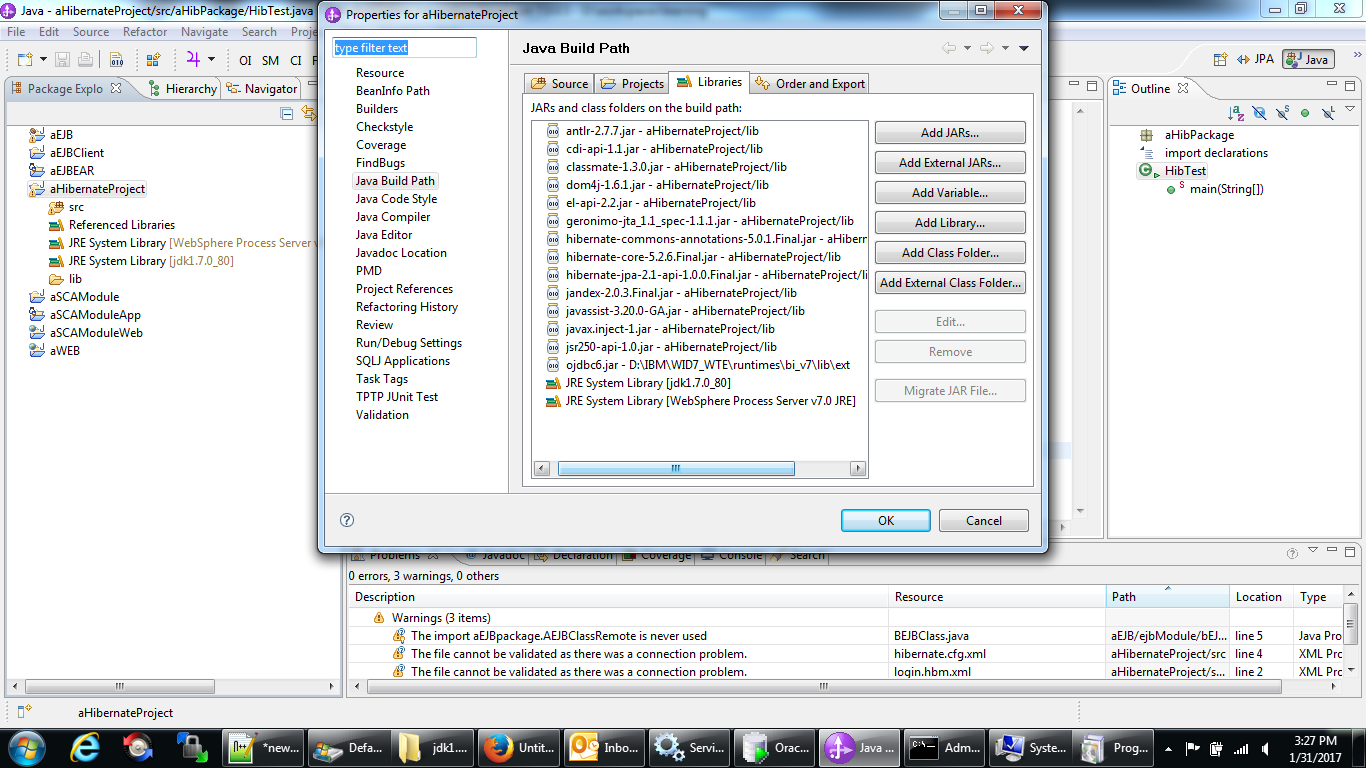
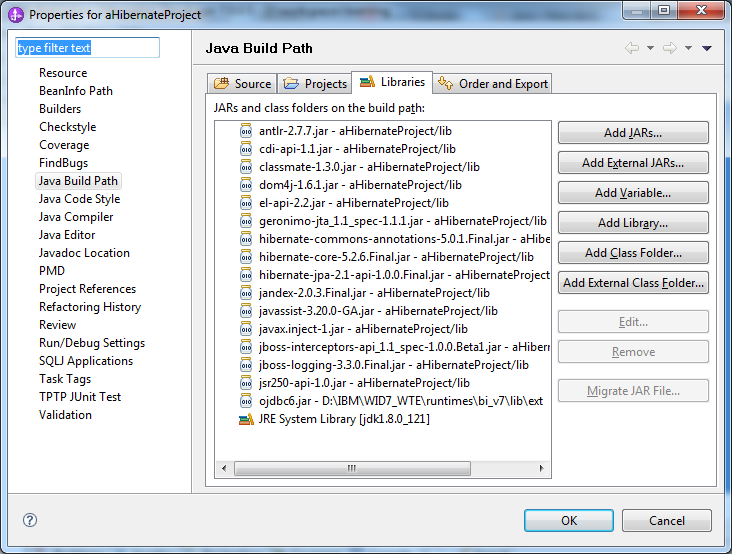
Final build path looks as below
Earlier , I have removed the JBoss related jars but I have to add them later as I was getting few Class Not Found exceptions .


Now , we can run HibTest.java as a Java application and test the Sample Hibernate Java code.

This code is simpler in a way than EJB as in EJB , we have to define objects mapped to database also in a java class file whereas here we have the mapping in a xml file .


Hibernate is perfectly suited for creating mapping files . Later , we can use either Hibernate or J2EE ( EJB session beans ) to include logic and DML statements.


Saturday, December 6, 2014

Install Java without installing

How can you Install Java without actually Installing it .

You can have this need if you don't have admin rights on the machine and you urgently want to install Java and you don't have time to wait for the IT department of the company .

So, here is the trick to do it .

I have installed Java 1.7 version using the following procedure .

Use 7 zip to extract the installer , the exe file  .  After extracting the exe , I again extracted the core.zip file which was extracted in the previous step.

Now , I have the complete Java folder along with bin and lib folder .

Here comes the tricky part .

Now , if you do java -version , you will get error as below

Error occurred during initialization of VM
java/lang/NoClassDefFoundError: java/lang/Object

java -fullversion will work
java -fullversion
java full version "1.7.0_07-b11" 

Solution : Its taken from the link
http://stackoverflow.com/questions/11808829/jre-1-7-returns-java-lang-noclassdeffounderror-java-lang-object

Check in your JDK folder for *.pack files in jre/lib and jre/lib/ext such as rt.pack (the default location is Drive(C or D):\nameof_jdk_folder\jre\lib for Microsoft Windows and /usr/java/lib for Unix/GNU Linux)
Those *.pack files need to be unpacked to .jar files using this command:
•
For Windows:
%JAVA_HOME%\bin\unpack200 -r -v -l "" rt.pack rt.jar
•
For *nix, a similar command line will unpack the files:
cd /usr/java/lib
/usr/bin/unpack200 rt.pack rt.jar


Then run java -version .

You have successfully setup the Java .


Another way to do the Java setup is to copy the folder from an existing machine where the Java setup is already done. But for that , you need to have USB access to the machine which you may not be having .


In the above technique of installing Java , either you need to have the installable with you or You should have the internet access to download the JAVA installable.

Monday, September 29, 2014

Not able to launch sqldeveloper


You have installed sqldeveloper to connect to a remote oracle database or a local database on your system but  you are not able to launch it .

You are getting any error similar as below .

Java software is installed.
Can not find java
JVM argument is not correct etc. etc.


Then you can edit the following file and correct the path of JAVA HOME


D:\app\User\product\11.1.0\db_1\sqldeveloper\sqldeveloper\bin\sqldeveloper.conf


Below is the line that needs to be added at the top of sqldeveloper.conf

SetJavaHome D:\app\User\product\11.1.0\db_1\jdk


Thats it , your problem is fixed.